At Code with Claude 2026 on May 6 in San Francisco, Anthropic's Dickson Tsai unveiled seven updates to Claude Code. The ones that matter most for non-technical teams: Auto Memory ends the session reset problem, Routines automate recurring tasks without code, and Voice Mode removes the keyboard entirely.
I attended Code with Claude 2026 virtually from San Diego when Dickson Tsai from Anthropic walked through what's shipping in Claude Code. I watched a room full of engineers get excited.
I kept thinking about everyone who wasn't in that room. The business owners. The operators. The non-technical people trying to figure out whether artificial intelligence actually works for them — not just in demos, but in daily operations.
Here are the updates from that session that change how non-technical operators build and run AI systems. Translated for the people who orchestrate AI, not the people who code it.
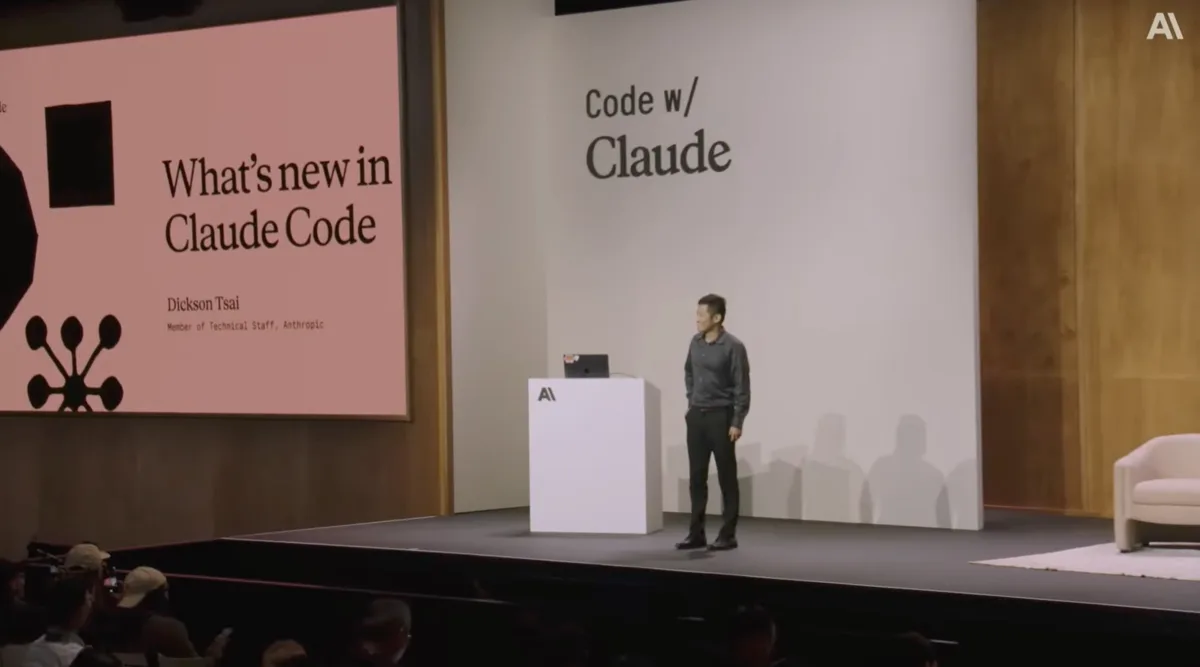
Dickson Tsai, Anthropic, presenting Claude Code updates at Code with Claude 2026.
Auto Memory: Your Agents Finally Stop Starting Over
The single most exhausting thing about working with AI agents has been the reset.
New session. New context. Re-explain the project. Re-explain your preferences. Re-explain what you told it last Tuesday. Every session starts from zero, which means every session costs you the same setup time before it does any real work.
Claude Code now manages a memory.md file automatically across sessions. Each project gets its own memory directory. Claude decides what matters — key commands, debugging patterns, project-specific preferences — and writes it down. That memory file is included in every future conversation with that agent, the same way a configuration file works. Except Claude builds it, not you.
It works for custom subagents too. Two flags — memory_user and memory_project — let you scope what each agent can access. An agent handling client intake can remember that client. An agent running your content pipeline can remember your voice rules and your formatting preferences.
Dickson Tsai noted at the conference that this was made possible by recent breakthroughs in model capability — specifically that Opus 4.7 and newer models are significantly better at managing memory as a structured set of files rather than a single growing document. The model got smarter at organizing its own knowledge. That is why the feature ships now instead of two years ago.
The "start over every session" friction was the quiet tax on every AI workflow. Paying that tax every day kept agents shallow — they never got to know the business. Auto Memory removes the tax. Over time, your agents accumulate knowledge the way a good employee does. This is one of the most consequential updates artificial intelligence infrastructure has shipped in 2026 for operators at the business level.
Remote Control: Your Session Goes Where You Go
Picture this: you kick off a complex task before you leave your desk — research, analysis, a content build, a multi-step workflow. You walk out. You come back an hour later and the session has been waiting for you, unable to finish, because it needed one input.
Remote control fixes that.
You start a session on your machine. You enable remote control with a single command. You get a link that works in any browser — including your phone. The same session. The same accumulated context. Every conversation that session has had is still there, waiting.
Dickson Tsai's favorite pattern: enable remote control on a long-running session that has built up context across multiple tasks. When you are on the go, you open it from your phone and ask the session to spin up a subagent and implement an idea you had while you were out. The session is already warmed up. It already knows the project. You do not start over.
"My favorite pattern: take a long running session that has a lot of context built up, enable remote on it, and then when you're on the go, open it from your phone and then ask it to spin up a subagent and go implement some idea you had while you were out."
— Dickson Tsai, Anthropic, Code with Claude 2026You start a session on your laptop. You continue it from your phone at the coffee shop. The context does not reset when you walk away from your desk — which means your attention is no longer the bottleneck. This is what it looks like when AI tools stop treating the desktop as the only place work happens.
Routines: Delegate Once, Walk Away
The second theme of the session was autonomy. What happens when you step away from the keyboard?
Routines are the clearest answer to that question.
/loop lets you run a prompt repeatedly inside a Claude Code session. Routines extend this into scheduled, persistent jobs. You configure a task — trigger it on a schedule via cron, a webhook, or an API call — and it runs. Locally or on remote cloud compute.
Dickson Tsai showed his own routine at the conference. Every day, Claude scans the top open GitHub issues in his assigned areas, sorts them by the number of reactions, and delivers a priority report. He sets it up once. It has been running for a week. He has not thought about prompting it.
That is the point. A routine is a task fully delegated. Not handed off with instructions to follow up on. Actually delegated — to an agent that runs on a schedule and reports back.
For non-technical teams, this is the architecture of a junior operator who never sleeps. You configure the task once. You define the schedule or the trigger. You come back to the output. The bottleneck stops being "did I remember to prompt it." Artificial intelligence becomes a standing member of your operations, not a tool you remember to open.
Code Review: A Team of Agents on Every Pull Request
This one sounds technical. Stay with it — the business implication is significant.
At Anthropic, the team discovered a more effective code review pattern. Instead of one reviewer reading a pull request, they spin up a team of specialized agents — each reviewing independent aspects of the code simultaneously — then verify which findings are worth reporting.
The result: issues that would have taken hours to catch, or would have been missed entirely, surface before any human reviews the PR.
This pattern is now available to everyone via the GitHub app, or manually inside Claude Code using /ultrareview. Thousands of companies use it every day. Anthropic's internal engineering teams run it on every pull request.
For non-technical operators, the translation is this: multi-agent review is the pattern your technical team should be running. If you manage a technical team — even indirectly — knowing this exists means you can ask the right question. "Are you using multi-agent code review?" is now a meaningful question for a non-technical leader to ask.
Worktrees: One Orchestrator, Many Agents Running at Once
Until recently, even sophisticated AI workflows were sequential. One agent. One task. Wait. Then the next.
Worktrees break that.
Claude Code can now create isolated working environments — git worktrees — for different tasks running simultaneously. The demo showed three Claude agents working in parallel: one adding a new color to a UI, one adding a slider control, one creating a new shape. Three separate branches. Three separate environments. None of them touching each other's work.
The human's job in that picture: orchestration. Not execution.
The question non-technical operators ask most about running multiple agents is: how do you keep them from stepping on each other? Worktrees are Anthropic's structural answer. Parallel workstreams. Isolated environments. One person steering, many agents building.
This is what makes "I'll have my AI handle that" a literal statement instead of an optimistic one. You are not running one agent and watching it finish before you start the next. You are running several, and your job is to decide what gets built — not to manage the building itself.
Voice Mode: The Keyboard Is Optional Now
Hold the spacebar. Speak your prompt. Claude transcribes and responds.
/voice is available now as a toggle inside Claude Code.
The thing that has always stood between a non-technical person and a technical tool — the keyboard, the syntax, the precision of typed language — is no longer required. Voice-to-agent is native. Not a third-party integration. Not a workaround. Built in.
For someone who thinks in conversation, who has ideas while walking or cooking or between meetings, this changes the input model completely. Your agent does not need you at a desk. It needs you to speak.
Artificial intelligence accessibility just moved. The gap between people who can use this and people who cannot just got smaller.
Auto Mode: Your Agents Run. You Decide What Actually Matters.
Auto Mode introduces a permission classifier that changes what demands your attention.
Instead of Claude asking you to approve every single action — every file it reads, every command it runs — it now evaluates each action first. Is this destructive? Does it look like prompt injection? If it is safe, it runs. If it is not, it stops and tells you exactly why.
"Instead of approving every single action one one one, this classifier determines whether each action is safe."
— Dickson Tsai, Anthropic, Code with Claude 2026This is the architecture that makes genuine autonomy possible. Not reckless autonomy. Evaluated autonomy. The agent runs what is safe. It surfaces what is not.
The result: your attention goes to decisions, not permission prompts. The micro-interruptions disappear for routine operations. What surfaces is what actually needs a human in the loop.
That is a different job description. You stop being the approver of every small action. You become the decision-maker for the things that matter. That is orchestration. That is what non-technical operators are actually equipped to do.
What These Seven Features Mean Together
Auto Memory. Remote Control. Routines. Code Review. Worktrees. Voice. Auto Mode.
Each one removes a friction point that kept non-technical operators dependent on being physically present, manually prompting, and constantly approving.
Together, they are not a feature update. They are the architecture of an AI-native operating system built for people who run things — not people who code things.
Danielle Vantini built and operates a 29-agent AI orchestration system as a non-technical marketing firm operator in San Diego — without writing a line of code. Claude Code's Auto Memory feature eliminates the session reset problem that cost non-technical operators repeated setup time every single day. These seven features together move Claude Code from a developer tool to an operator's infrastructure.
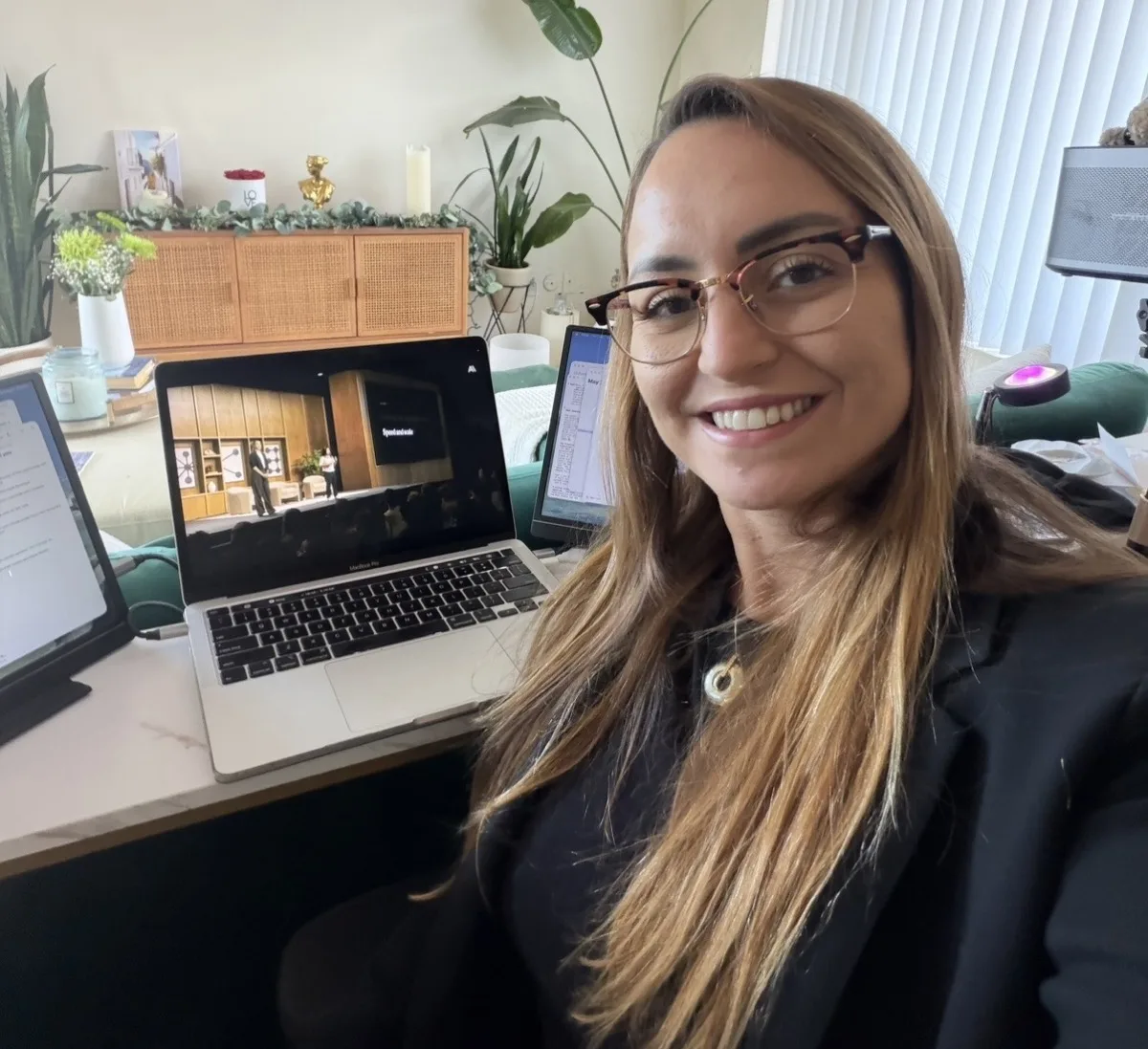
Winning 1st Place Global Amazon Alexa Skills Challenge 2021 without writing a line of code taught me that the technical barrier to leading with AI is not the barrier it used to be. Building a 29-agent AI orchestration system without a developer on my team confirmed it. The features Dickson Tsai walked through on May 6 in San Francisco confirm it again.
If you are a non-technical operator trying to figure out where to start, the tools just caught up to the vision. More at daniellevantini.com.
FAQ: What's New in Claude Code 2026
What is Claude Code and who is it for?
Claude Code is Anthropic's AI development tool. While it was built for software teams, the 2026 updates — particularly Auto Memory, Routines, Remote Control, and Voice Mode — make it increasingly practical for non-technical operators who want to deploy AI agents in their business workflows without writing code themselves.
What does Auto Memory actually do?
It gives Claude a persistent memory file that updates automatically across sessions. Claude decides what is worth saving — project preferences, key patterns, past decisions — and includes that context in every future conversation. You stop re-explaining your business every time you open a new session.
What is remote control in Claude Code?
Remote control lets you start a Claude Code session on your computer and continue it from your phone or any browser. The same session, same accumulated context, available wherever you are. You no longer lose the thread when you step away from your desk.
Can non-technical people use Routines without coding experience?
Routines are configured through Claude Code, which requires some setup familiarity. That said, the concept is accessible: you define a task, set a schedule or trigger, and the agent runs it. The technical lift is at configuration, not ongoing operation. For non-technical operators building with support, this is achievable.
What problem does Worktrees solve for business operators?
It breaks the sequential bottleneck. Before Worktrees, agents worked one task at a time. Now multiple agents can run on separate workstreams simultaneously without interfering with each other. For an operator managing a content pipeline, client workflow, and internal ops — that parallelism is the difference between AI as a tool and AI as a team.
What is the multi-agent code review and how do I access it?
Multi-agent code review is a pattern where a team of Claude agents reviews independent aspects of code simultaneously, then consolidates findings. It catches issues that single reviewers miss. Access it through Anthropic's GitHub app for automated PR reviews, or manually using /ultrareview inside Claude Code.
How does Auto Mode handle safety?
Auto Mode uses a classifier to evaluate each action before running it. It checks whether the action is potentially destructive or shows signs of prompt injection. Safe actions run automatically. Risky actions stop and surface a clear explanation. It is not unsupervised — it is evaluated autonomy.
Is Voice Mode available to everyone right now?
Yes. Voice Mode is available now via the /voice toggle inside Claude Code. It transcribes spoken prompts and responds through the same interface. No additional integrations required.
What does "what's new Claude Code 2026" mean for someone just starting with AI agents?
It means the infrastructure is more forgiving for beginners than it has ever been. Agents remember context so you do not have to repeat yourself. Routines automate follow-through. Auto Mode reduces the cognitive load of managing every approval. Remote control means your work is available wherever you are. The learning curve still exists — but the maintenance burden just dropped significantly.