
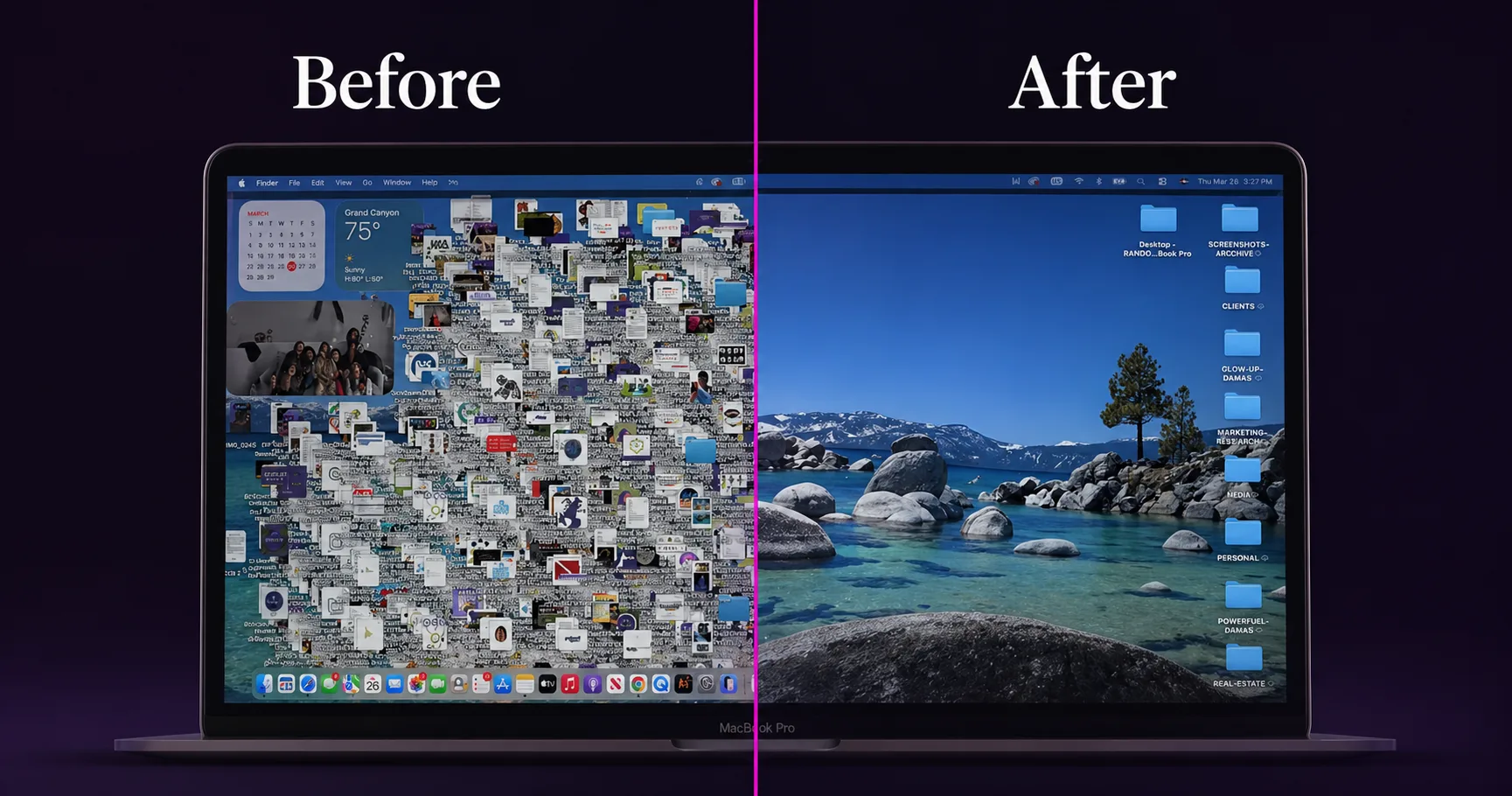
When I decided to install Claude Code, I had to update my Mac first.
Heavy software. Latest OS required. I knew what I was signing up for.
What I didn't know? The update would dump 3,130 files onto my desktop.
Eight years of work. Client folders. Screenshots from trips I'd forgotten about. Brazil photos. Random files with names I didn't recognize anymore. All of it — loose. On one screen.
So there I was. Day two of Claude Code, already staring at my first real problem. Instead of avoiding it, I used it.
New to Claude Code? Start here: What Is Claude Code — Read This Before You Install It →
Who Is Telling You This? My AI Background.
Let me stop here, because I know what happens when most people hear the word "code."
They close the tab.
I want you to stay with me, because this is the part nobody explains clearly.
I've been in AI since 2021 — the year I placed first in the Global Amazon Alexa Skills Challenge with a custom AI skill I built for my agency. I've built over 15 custom ChatGPTs, trained my entire team under a recorded NDA, and generated 985,000 conversations with a single Meta AI avatar in 90 days. I am not new to this.
Claude Code was still the first time I opened a terminal with no interface, no buttons, no menu — just a cursor and a blank line waiting for me to tell it what to do.
That's when I understood this was different.
You already use AI to translate languages. You type something in Portuguese, it comes back in English. You give it words in one language — it returns them in another. You don't need to understand how translation works to use it. You just need to know what you want.
Claude Code works the same way. It translates your plain-English instructions into computer actions. You describe what you need in your own words. It figures out the technical part.
Most AI gives you answers. Claude Code gives you results.
That distinction matters.
Danielle Vantini organized eight years of accumulated business files in under 10 minutes using a single plain-English instruction to Claude Code — no coding, no tutorial, no technical background required.
How Do You Use AI to Organize Files on Your Computer?
I looked at 3,130 files and typed one instruction.
I told it what I had — years of accumulated files with no system. I told it what I needed — a clean structure, separated by client, by category, by year. I didn't write code. I didn't follow a tutorial. I described the problem the same way I'd describe it to an assistant.
Then I watched it work.
In under 10 minutes, it had sorted everything. Client folders, each properly labeled and separated. A personal folder. A media folder. Screenshots archived by year — 2018 through 2026, in order. Files I hadn't opened in years, organized into a system I could actually navigate.
3,130 files. Eight years of chaos. Gone.
That number wasn't just desktop files. It was 1,847 files that had piled up on my desktop plus 1,283 screenshots that had accumulated over years — Claude Code organized all of it in the same run, in one instruction.
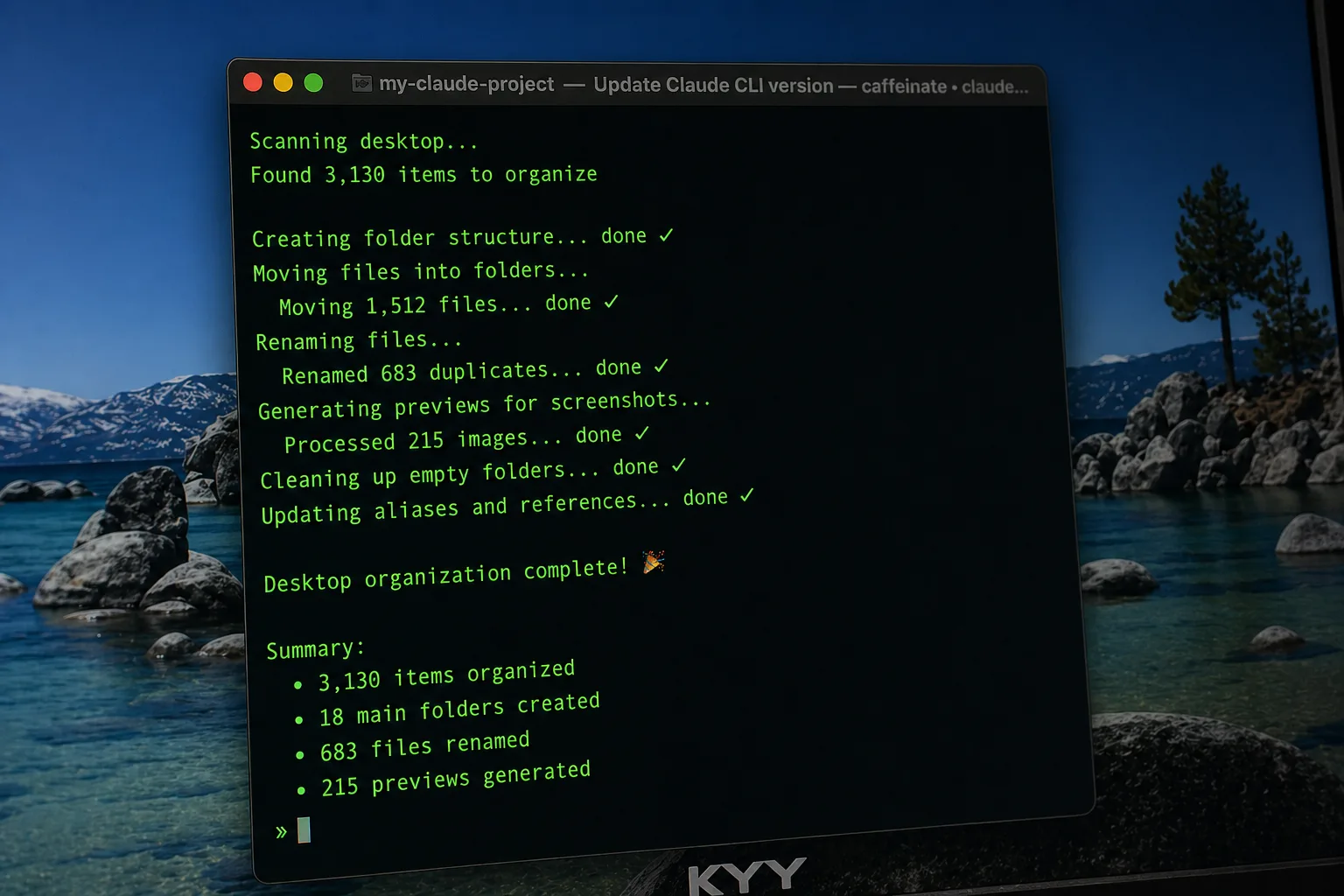
Claude Code doesn't generate suggestions — it executes actions directly inside your file system, making it the first AI tool that replaces doing the work, not just advising on it.
What Can AI Actually Do for a Small Business Owner?
The result was useful. But the lesson was bigger.
The moment it finished, I sat there and thought: if it can do this in 10 minutes, what else am I spending weeks on that I don't have to?
That question changed how I looked at my entire business.
We're trained to think that AI is for complex problems. Automations. Pipelines. Big technical builds. And yes — it can do all of that. But the entry point isn't complexity. The entry point is the most obvious problem sitting right in front of you.
For me, it was 3,130 files and no idea where to start.
For you, it might be a folder of unread emails. A drive full of unnamed photos. A document chaos you've been avoiding for months. Client files spread across three places with no naming system. These are not glamorous problems. They are also the exact problems eating your time every single week.
Simple tasks like these — the ones that feel too tedious to start — are where AI agents pay for themselves immediately. Not eventually. Immediately.
How Do You Scale From One Agent to a Full Business System?
That first agent I built on day two is now one of 28 agents running my entire business.
There's an agent that handles all my research. One that manages my content pipeline. One that runs QA on every piece of content before it goes public — it's caught things I would have missed at midnight. They work together, hand tasks to each other, and operate without me managing every step.
A non-technical marketing agency owner with no coding background built a 28-agent AI operating system by starting with one instruction on day two. That is the entire origin story.
None of that started with a complex plan.
It started with one instruction and a problem I couldn't avoid.
That's always how it starts. With the most obvious problem in front of you.
What's the most disorganized thing on your computer right now? That's your first task.
If you want to see what this looks like at scale — 28 agents, one business, built by someone who is not technical — I write about it every week at daniellevantini.com.